
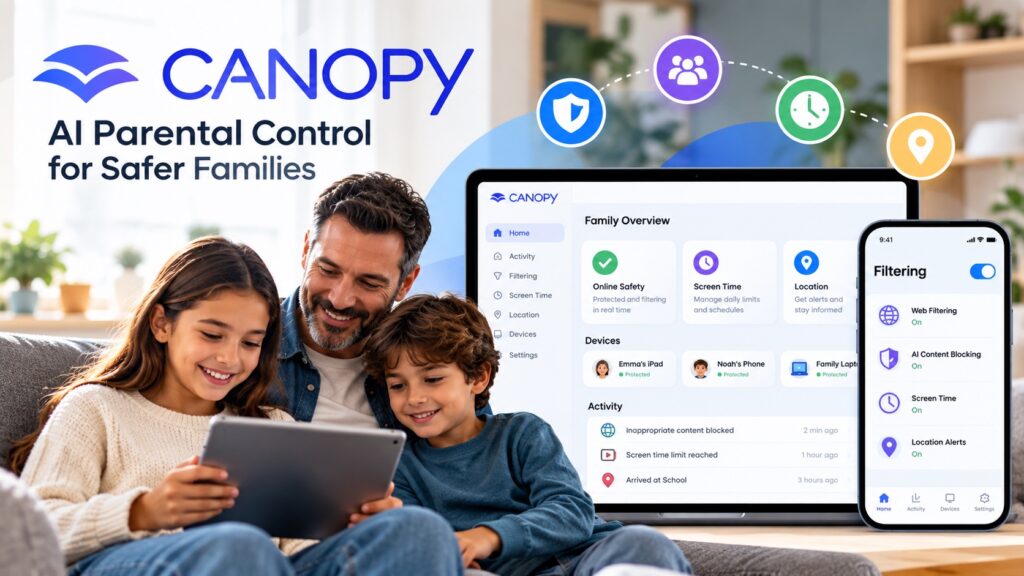
Canopy is a digital safety and parental control app designed to help families manage online content, screen time, and device use across multiple devices and networks.
The platform combines AI-powered content filtering with parental control tools aimed at reducing exposure to inappropriate material while giving parents more visibility and control over how devices are used.
In this review, we look at Canopy’s main features, pricing, strengths, limitations, and whether it offers good value for families looking for a more structured approach to digital safety.
Overview
Canopy is built around the idea of active digital filtering rather than simple website blocking.
Its filtering system is designed to identify and block inappropriate visual content in real time while allowing the rest of a webpage to remain accessible where possible. This approach can be more flexible than blocking entire websites or categories.
Canopy also includes parental control tools for managing screen time, device access, and family internet use.
Key Features
- AI-powered content filtering designed to detect and block inappropriate visual content.
- Real-time filtering across websites and online content.
- Screen time controls to help manage when and how long devices can be used.
- Parental control tools for managing children’s digital access.
- Location alerts and family safety features on supported devices.
- Multi-device protection depending on the selected plan.
- Support for families across major markets including Australia, the United States, Canada, and the United Kingdom.
How Canopy Works
Canopy is designed to run across supported devices and apply digital safety rules according to the settings selected by the parent or account holder.
Rather than relying only on static lists of blocked websites, its filtering technology aims to evaluate online content as it appears.
This can help families maintain access to useful online information while reducing exposure to inappropriate images or material.
Parents can also use Canopy’s management tools to set screen time rules and control access across different devices.
Digital Filtering and Online Safety
One of Canopy’s main strengths is its focus on filtering at the content level.
Traditional parental controls often rely heavily on blocking entire websites. Canopy instead aims to identify inappropriate content within webpages and filter that material while preserving access to the rest of the page when possible.
For families with younger children or teenagers, this may provide a more practical balance between online access and digital protection.
No parental control system can replace supervision or family discussions about online behavior, but digital filtering can add another layer of protection
Screen Time and Device Management
Canopy also includes tools for managing device usage.
Screen time controls can help families establish clearer boundaries around when devices are available and how long they can be used.
This can be particularly useful for households trying to create more consistent routines around homework, sleep, family time, and recreational screen use.
The level of device coverage depends on the selected Canopy plan.
Free Trial
Canopy currently offers a free trial across its subscription plans.
This gives families an opportunity to test the filtering system, parental controls, and device management features before committing to a paid annual subscription.
For a digital safety service, this is useful because the practical value depends heavily on how well the software works across the specific devices and online habits of each household.
Try Canopy and see how its digital safety tools work for your family.
Pros & Cons
Pros
- AI-powered real-time content filtering.
- Designed specifically for digital safety and parental control.
- Screen time management tools.
- Supports multiple devices depending on the plan.
- Free trial available.
- Can provide more flexible filtering than simply blocking entire websites.
- Suitable for families looking for structured online safety tools.
Cons
- Requires an ongoing subscription.
- Annual billing may not suit every household.
- Some features and device coverage depend on the selected plan.
- No parental control tool can fully replace supervision and digital education.
- Effectiveness may vary depending on device type, operating system, and browsing habits.
Privacy and Family Use
Because parental control software operates across personal devices, privacy and account permissions are important considerations.
Families should review Canopy’s privacy policy, device permissions, and data-handling practices before installation.
It is also worth considering how parental controls are introduced within the household. For older children and teenagers, clear communication about why the tools are being used can help avoid unnecessary friction.
Final Verdict
Canopy offers a strong combination of AI-powered content filtering, parental controls, and screen time management.
Its main advantage is the attempt to filter inappropriate content in real time rather than relying only on broad website blocking.
For families looking for a more structured way to manage online safety across multiple devices, Canopy is a strong option to consider.
The free trial makes it easier to test the service before committing to an annual subscription, and the different pricing tiers provide options for both single-device users and larger households.